How Accountable categorizes your transactions
Each transaction is categorized by a rule, by Accountable AI with how sure it is, by the bank or payroll feed, or by a person. The reason shows in the transaction's panel.
In Accountable: TransactionsUpdated September 29, 2026
Steps
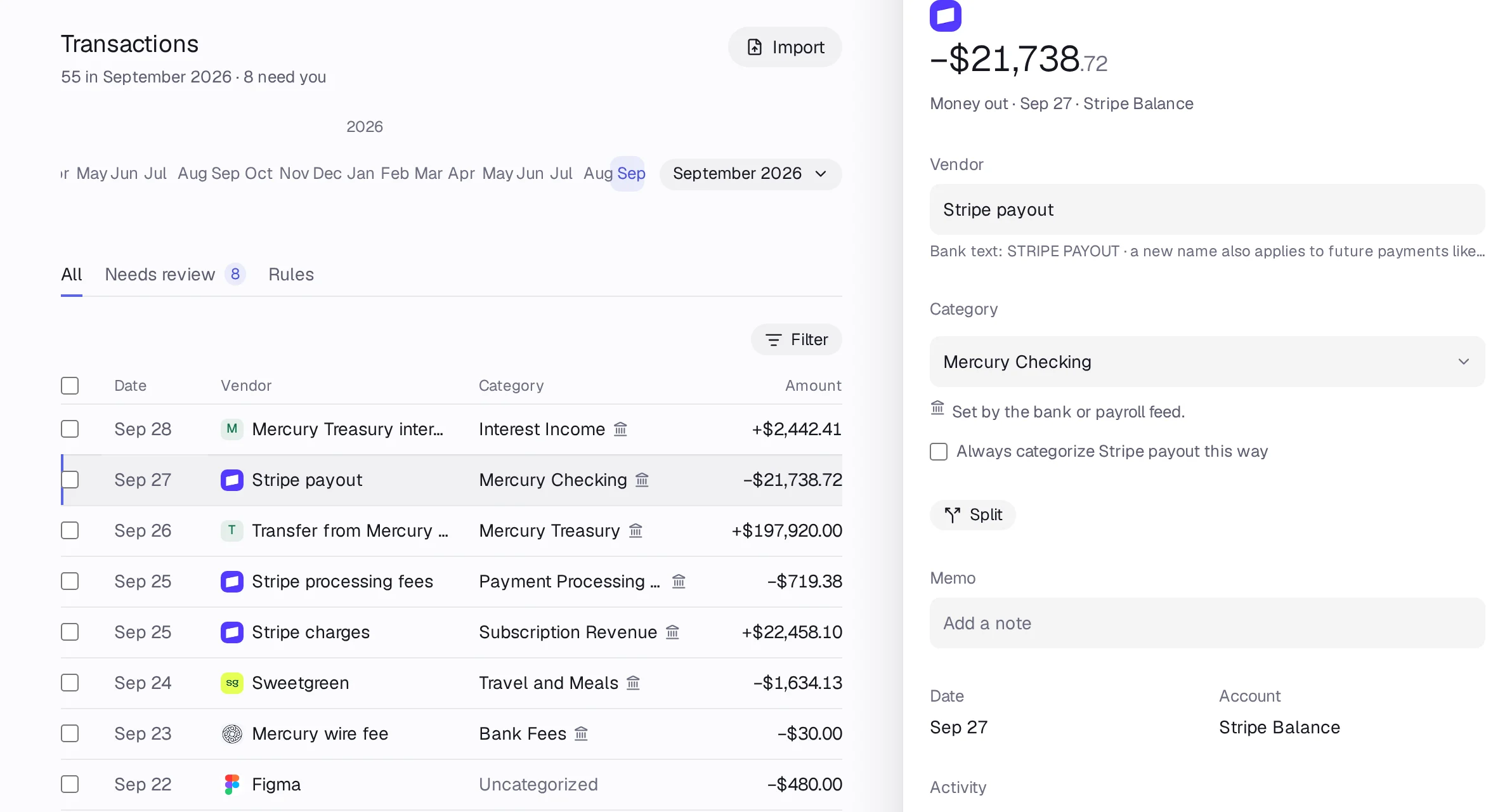
Step 1: Open Transactions and click any row. The side panel opens.
Step 2: Read the line under Category. It says why: a rule's reason, Sure (95%), Fairly sure or Unsure for Accountable AI, Set by you, or A transfer between your own accounts.
Step 3: To see only what one source did, press Filter and pick Categorized by: Accountable AI, A rule, A person, The source or Nobody yet.
Step 4: Anything Accountable isn't sure about goes to the Needs review tab for you.
Good to know
- Transfers between your own accounts are matched and never counted as income or spending.
- Free categorizes the first 100 transactions a month automatically; Pro and Holding categorize everything.