Is AI accounting software safe? Approvals, audit logs and undo
AI accounting software is safe to the degree that it limits what the AI can change, records every change and lets you reverse it. In Accountable, entries of $5,000 or more wait for an owner, a closed month never changes by itself, agents cannot move money or approve their own changes, and every change is logged and can be undone. It does not make the AI always right, and its SOC 2 audit is still planned.
Updated · 5 min read · By the Accountable team
- The agent asks for a changeClaude or ChatGPT, through your connection
- The rules decideApplies at once, or waits for an owner if it is $5,000 or more
- The change is loggedWho, when, why, and the values before and after
- You can undo itUndo writes a reversing entry and links the two
Default rules on Accountable Pro. Owners can tighten them in Settings.
The short version
- Four controls decide safety: what waits for a person, an audit log that names who acted, undo, and a bank match the AI cannot argue with.
- By default Accountable applies small changes at once and holds entries of $5,000 or more, and reopening a closed month, for an owner.
- An agent can never approve its own change, change the approval rules, touch a closed month, move money or change users or billing.
- Posted entries are never edited or deleted; undo writes a reversing entry, so the history stays whole.
- Honest limits: small changes apply before you review them, and Accountable's SOC 2 audit is planned while Digits states a SOC 2 Type II report.
Four controls decide whether AI accounting software is safe, and each has a limit
Ask any vendor about these four. The table says how Accountable does each and where the control stops. The checklist for choosing a tool is on AI accounting software for startups.
| Control | How Accountable does it | The limit |
|---|---|---|
| Approvals | Entries of $5,000 or more and reopening a closed month wait for an owner; owners can hold more in Settings | Small changes apply at once by default, because you already confirmed the request in Claude, ChatGPT or Ask |
| Audit log | Every change names a person, Accountable AI, or an outside agent and the person whose connection it used, with the time, the reason and the values before and after | A log shows what happened; it does not stop a wrong change |
| Undo | Any applied change can be undone; undo writes a reversing entry and links the two | Undo is after the fact, so check the changes applied automatically |
| Bank match | A month locks only after each account matches its bank statement | It proves the totals, not every category |
What waits for a person and what applies at once
These are the default rules. A person who is the owner can tighten them, and teammates, custom roles and approval rules by amount come with Pro.
| Change | What happens by default |
|---|---|
| Categorize a transaction | Applies at once, is logged and can be undone |
| Post an entry under $5,000 | Applies at once, is logged and can be undone |
| Post an entry of $5,000 or more | Waits for an owner to approve |
| Reopen a closed month | Waits for an owner to approve |
| Change anything in a closed month | Never, until a person reopens the month |
| Change the approval rules | Owners only; an agent can never do it |
| Move money, change users or change billing | Not available to an agent at all |
Bank, card and payroll connections are read-only. Accountable reads your accounts and never moves money; you pay bills from your own bank.
How an approval works: a person decides in a signed-in browser
Step 1: An agent such as Claude proposes a change, for example a $12,500 accrual. The rules say it needs an owner, so it becomes a proposal.
Step 2: Owners get a notice and an email. The proposal shows who asked, why, the debit and credit rows, and the balances before and after.
Step 3: An owner opens it in the app and approves, rejects or edits it. Opening the email link alone approves nothing, so a mail scanner cannot approve for you.
Step 4: The entry posts as one change with the agent as the actor and the owner as the approver. A proposal nobody decides in 30 days expires and nothing posts.
Step 5: Any change can be undone from Approvals or from the AI's answer, and the log shows who undid it.
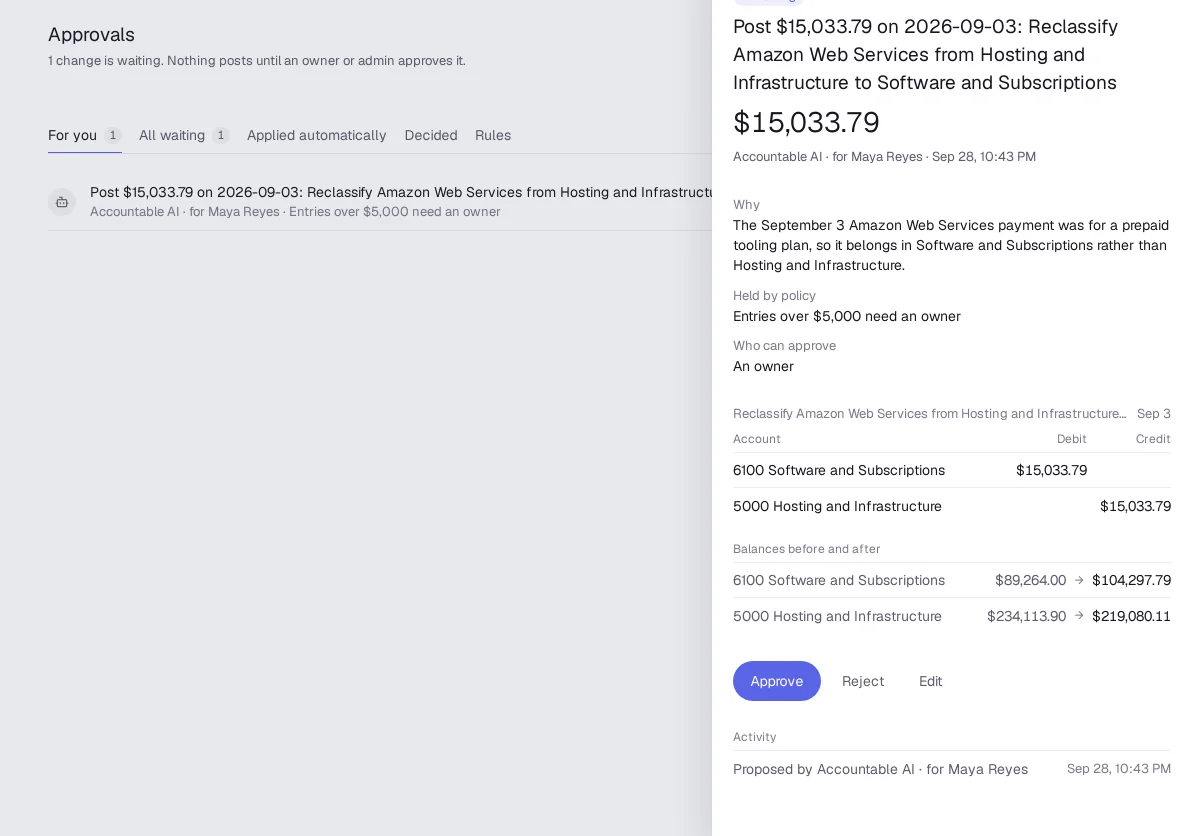
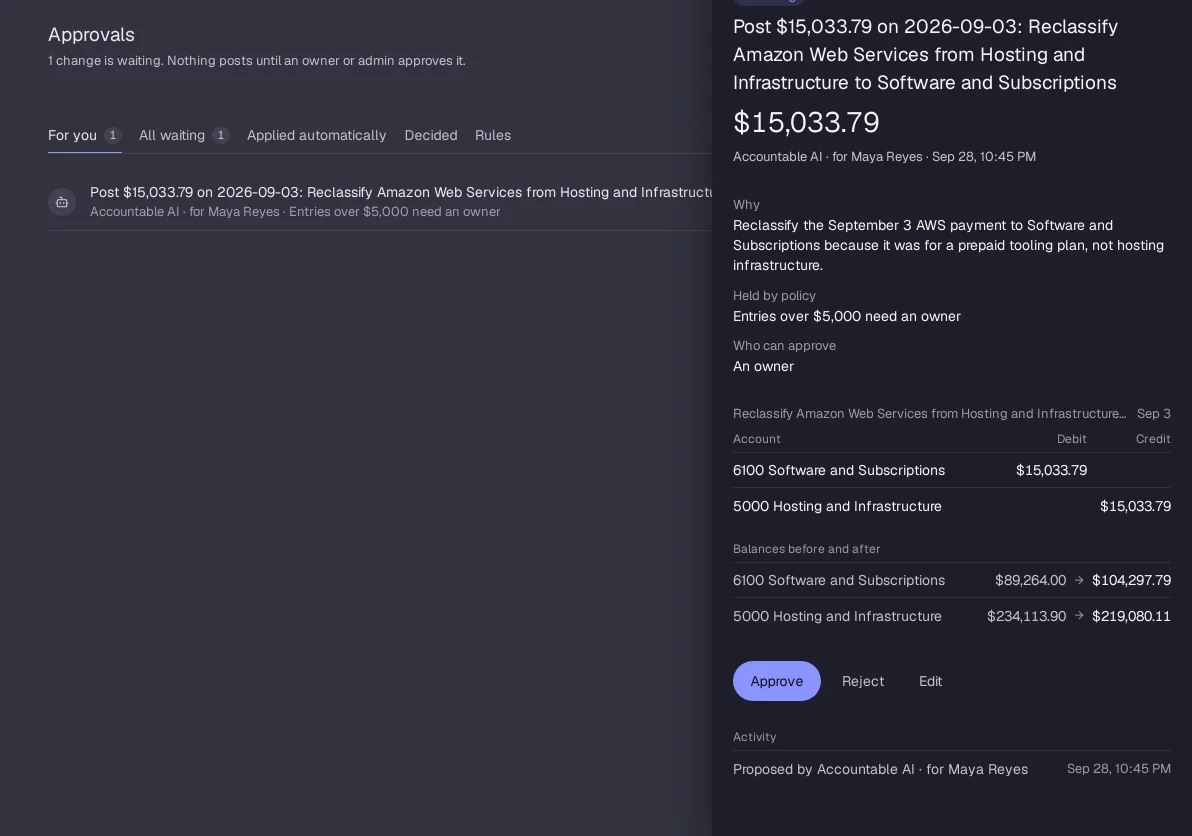
Approval always comes from a person, never from an agent's token and never from the agent that proposed the change. The agents page lists what each connection may do, and can ChatGPT do my bookkeeping shows it in use.
The honest limits of AI accounting software, ours included
- The AI can be wrong. In Penrose's 2025 test, AI models closed a real company's books and drifted to more than 15% off as errors compounded, which is why a bank match and a human check matter (see how accurate AI accounting software is).
- Small changes apply first and you review them after. If you want an owner to see everything before it posts, set the rows in Settings to wait for approval.
- Accountable's SOC 2 audit is planned (a Type I audit first, then Type II). Digits states a SOC 2 Type II report on its security page, so a customer that requires one today can ask Digits.
- Software does not replace your CPA. Your CPA prepares and signs the tax return and should read the year before you file.
Read Accountable's security page for how each company's books are stored and isolated, and what AI replaces in bookkeeping for what stays with a person.
Questions founders ask
Is AI accounting software safe?
It is as safe as its limits on what the AI can change, its log of every change and its undo. Look for approvals on large changes, a log that names who acted and a month that locks only when it matches the bank.
Can AI accounting software move money?
Not Accountable. Bank access is read-only, and the commands to move money or change users and billing are not in the agent tool list at all.
Can I undo a change the AI made?
Yes. Any applied change can be undone, and undo writes a reversing entry linked to the original, so the history is kept. The log shows who made and who undid each change.
Who can approve a change in Accountable?
An owner, signed in on a browser. Where a rule asks only for approval, an admin can approve too. An agent's token cannot approve, and opening an email link alone approves nothing.
Does Accountable have SOC 2?
Not yet. A SOC 2 Type I audit is planned, followed by Type II. Digits states a SOC 2 Type II report on its security page.
Agents that work on your books with approvals and undo
Accountable (accountable.im) logs every change, holds large ones for an owner and lets you undo anything. See AI accounting software for startups for how ten tools compare, read about agents and approvals, see the QuickBooks alternative page or browse all startup accounting guides.
Start freeSources, checked October 4, 2026: