Move your books from spreadsheets and bank statements
Upload opening balances and your journal entries as CSV or Excel. Import bank and card statements into their accounts. Opening balances post the day before you start.
Before you start
- Your balances on the day before your records start, from your last balance sheet or your accountant: one row per account with a debit or credit.
Steps
Step 1: Make an opening balances file with three columns, Account, Debit and Credit, one row per account. Name it opening balances, or put Opening balances in its first row. Debits must equal credits.
Step 2: Make a journal entries file with Journal No., Date, Account, Memo, Debit and Credit, one row per line. Lines with the same Journal No. are one entry.
Step 3: In Accountable, press ⌘K and choose Move books from Digits, QuickBooks or a spreadsheet. Pick Move my books, choose Spreadsheet under From and press Continue.
Step 4: Drop both files. They show as General ledger · N rows and Opening balances · the day before your ledger starts.
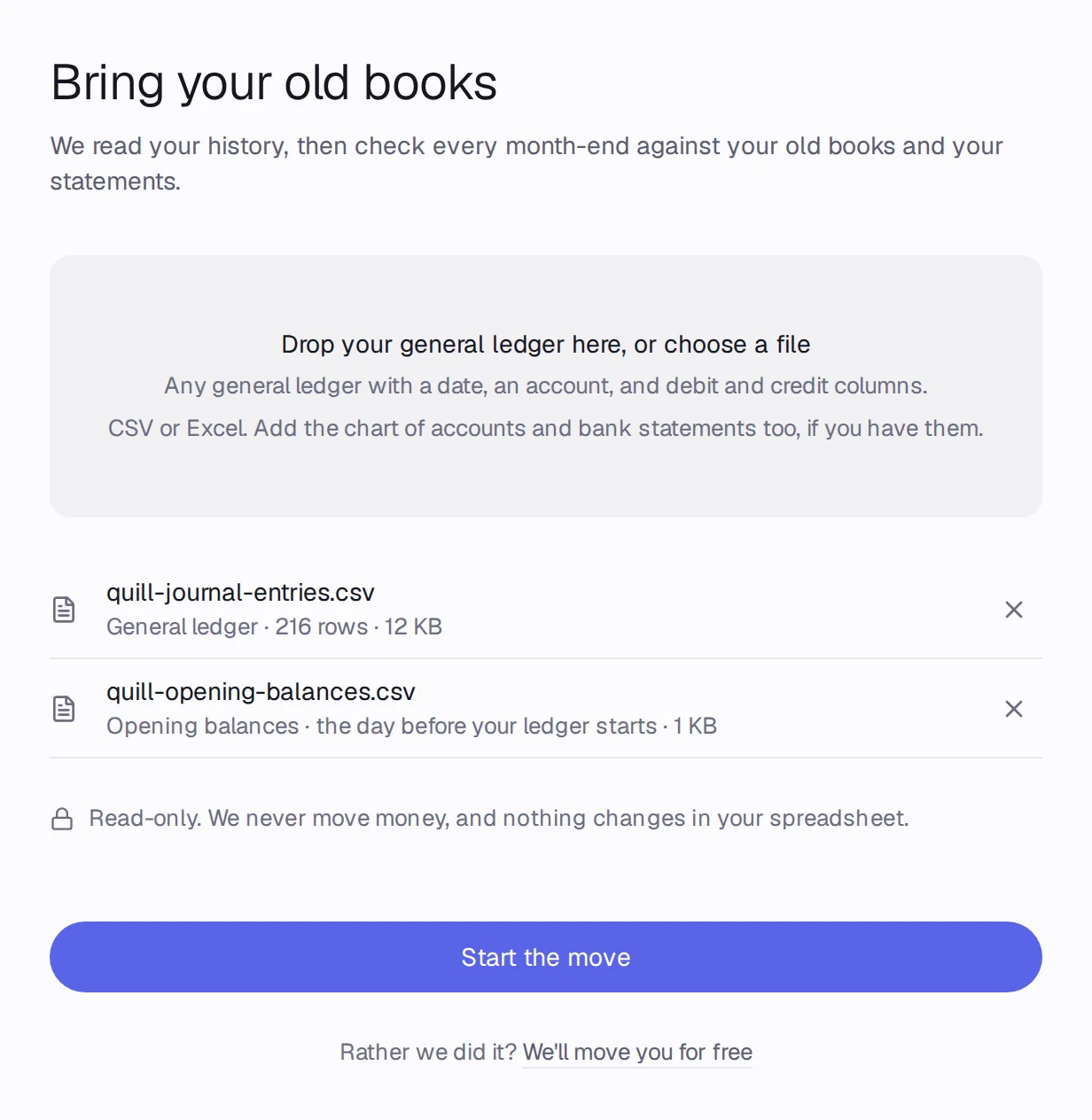
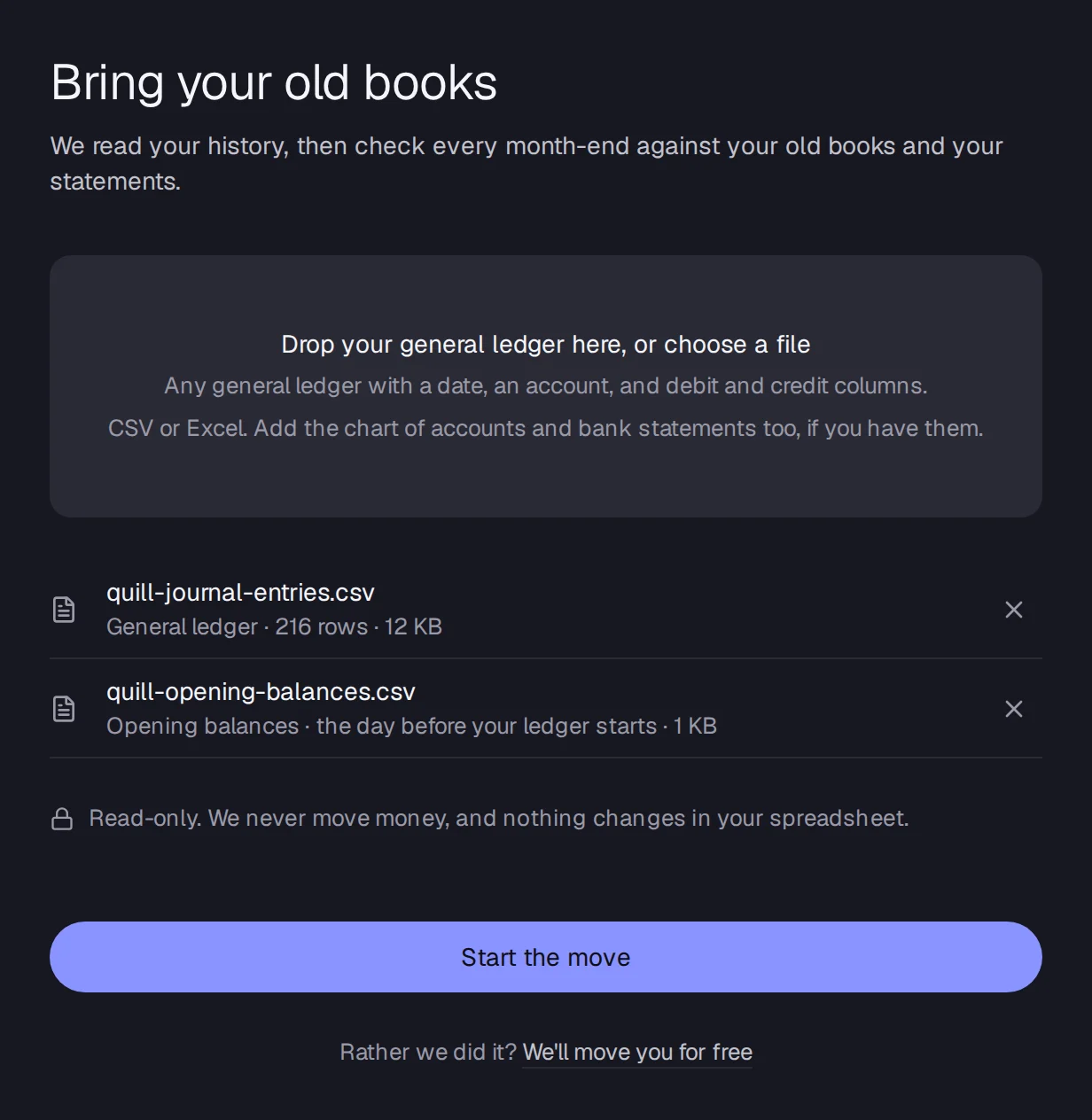
Step 5: Press Start the move. The opening balances post the day before your first entry, and that month ties to them. Months after it show Nothing to check against unless you add a trial balance.
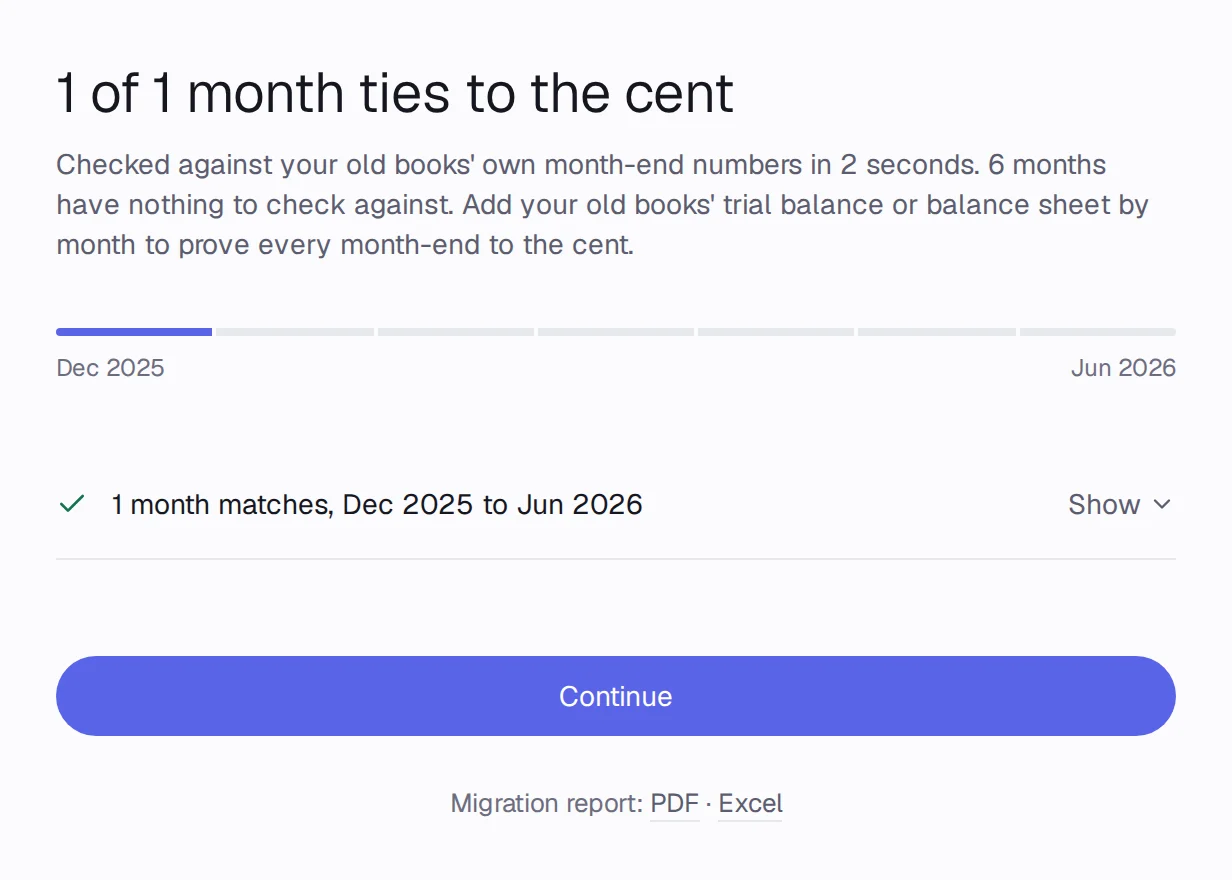
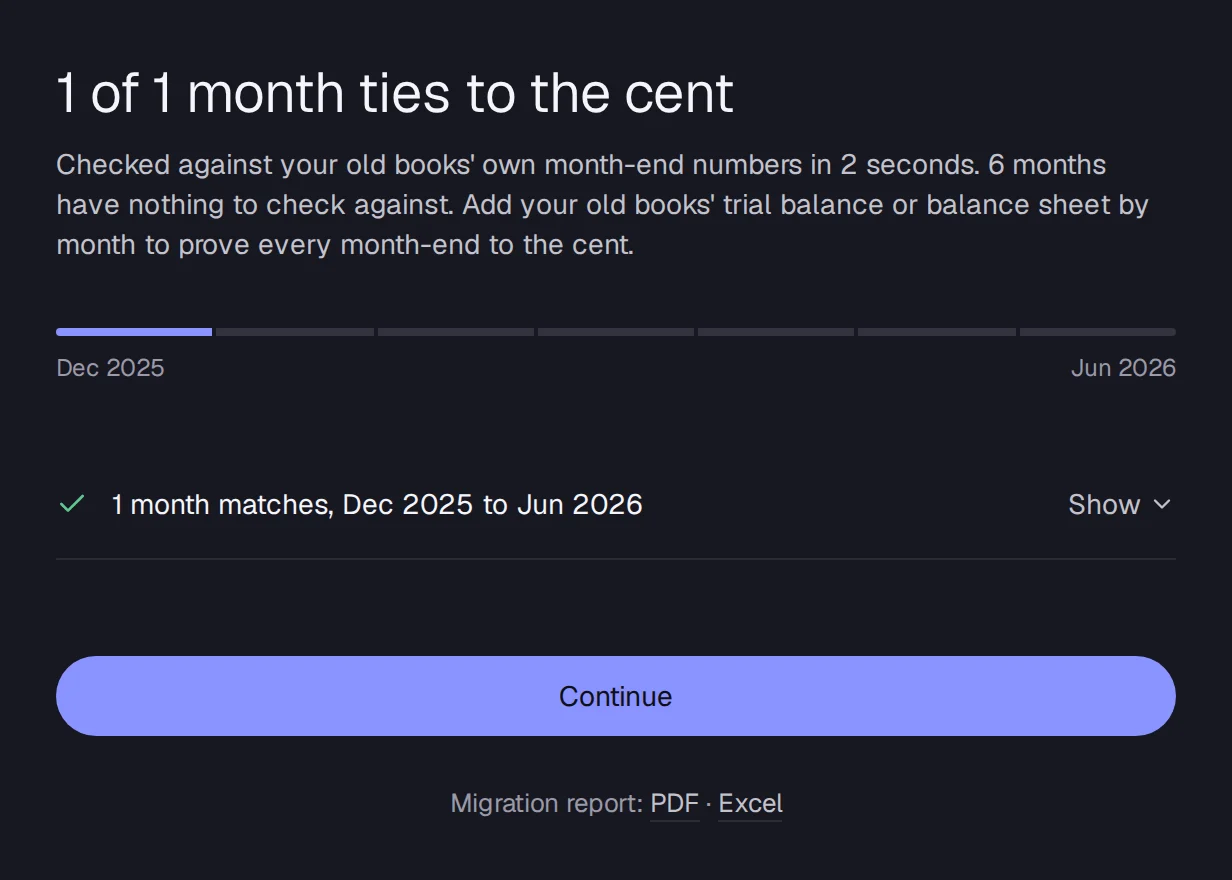
Step 6: Press Continue and Go live.
Only bank and card statements
Step 1: A bank's own download (Date, Description, Amount) isn't a general ledger: the move says Bank transactions, not a general ledger.
Step 2: Open Connections, press Import statement, and upload the CSV, OFX, QFX or PDF statement for each account. See Upload statement files.
Step 3: Accountable categorizes every transaction and asks about the ones it isn't sure of.
What Accountable does with the files
- Reads every entry, account and vendor, and rebuilds your chart of accounts and history in a draft. Nothing is in your books until you press Go live.
- Checks every month-end, account by account, against your old tool's own numbers and your bank and card statements. A month ties only when the difference is exactly $0.00.
- Asks you about each month that doesn't tie, one question at a time, with the fix it suggests.
- Lets you undo the whole move for 30 days after you go live.
Good to know
- An opening balances file that doesn't balance is refused with the difference, so you can put it in Retained Earnings or Opening Balance Equity.
- Dates like 03/04/2026 read as March 4.