What moves to Accountable, and what doesn't
Your chart of accounts, every transaction, vendors, customers and month-end balances move. Receipts, bank connections and most rules stay behind; the list says which.
In Accountable: Move your booksUpdated September 30, 2026
Steps
Step 1: Open the move: ⌘K › Move books from Digits, QuickBooks or a spreadsheet.
Step 2: After Start the move, the steps under What we've done so far list what was read: accounts, vendors and customers, and each month's transactions.
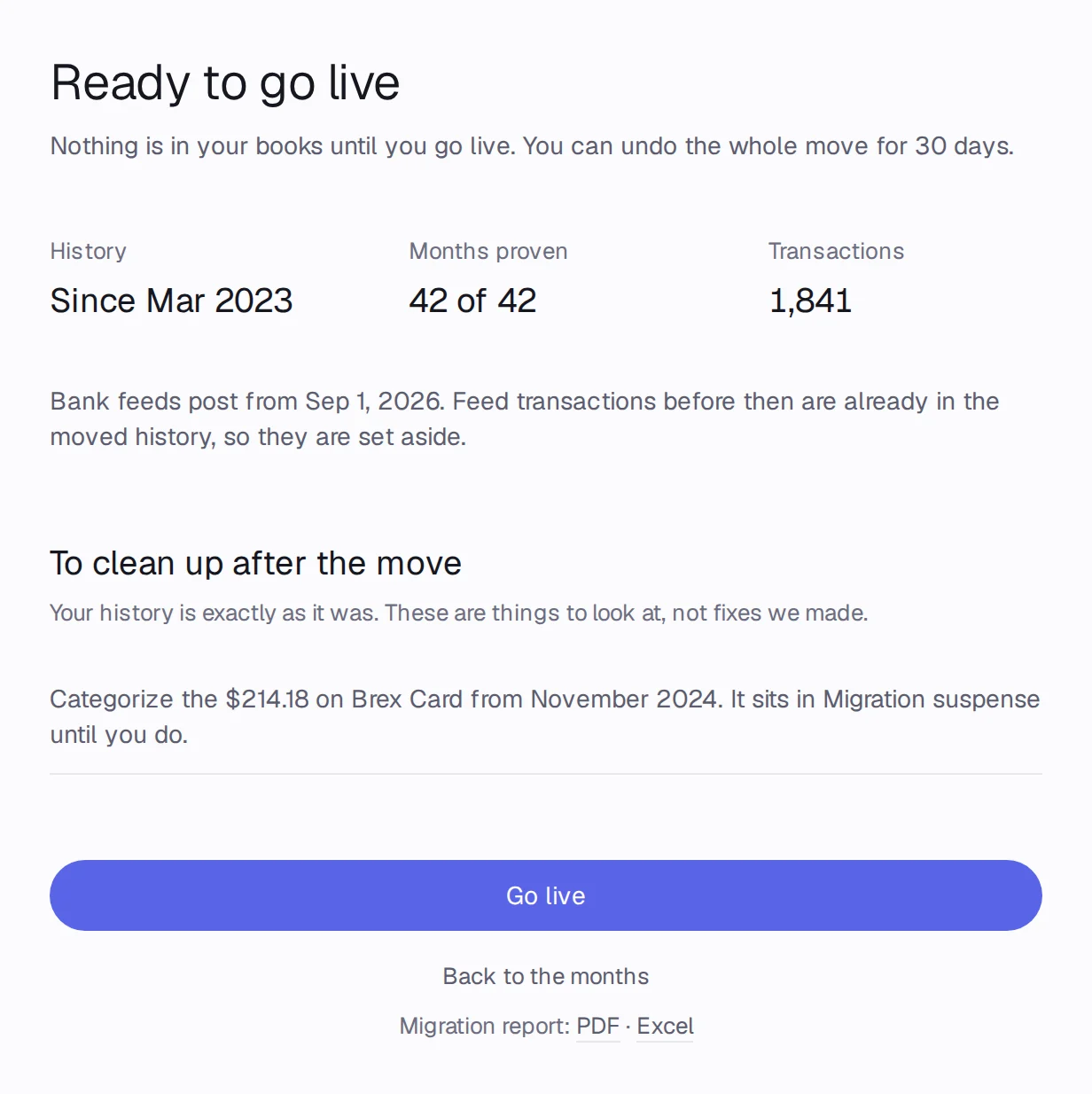
Step 3: On Ready to go live, History, Months proven and Transactions show what goes into your books.
Moves from every tool
- The chart of accounts. Accounts that match yours by name, code or meaning map onto them; the rest are copied as new accounts.
- Every transaction, exactly as the old books have it, with its date, memo and vendor or customer.
- Opening balances, when your history starts after the company did.
- Month-end balances, used only to check your history.
Moves from some tools
- Closed months: QuickBooks and Xero, when you connect them.
- Attachments: QuickBooks, Xero and Kick, when you connect them.
- Tags: Xero's tracking categories.
- Rules: Kick's rules, as drafts you turn on with Turn on N rules.
Stays in the old tool
- Open invoices and bills as documents: their totals move as Accounts Receivable and Accounts Payable. Create new invoices in Accountable.
- Bank and card connections: connect them in Connections. Bank feeds post from the day after the last month you moved.
- Team members, budgets and settings.
- Mistakes in the old books: Accountable copies the history exactly and lists what looks wrong under To clean up after the move, instead of changing it.