Which banks, cards and payroll tools connect
Mercury, Brex and Ramp connect with a read-only token you paste once. Stripe connects by signing in. Gusto and Rippling send a payroll file, and any bank can send statements.
In Accountable: ConnectionsUpdated September 29, 2026
Steps
Step 1: Open Connections: go to Settings › Banks, cards and payroll, or press ⌘K and choose Connect an account. The page says Read-only access. We never move money.
Step 2: Press Connect an account and pick the provider from the list, or press Connect on its row.
Step 3: Follow the steps in the dialog that opens. Each provider's article below has the exact steps inside its own dashboard.
Step 4: When it's connected, a green banner shows how many accounts are posting to your company. New transactions post within minutes.
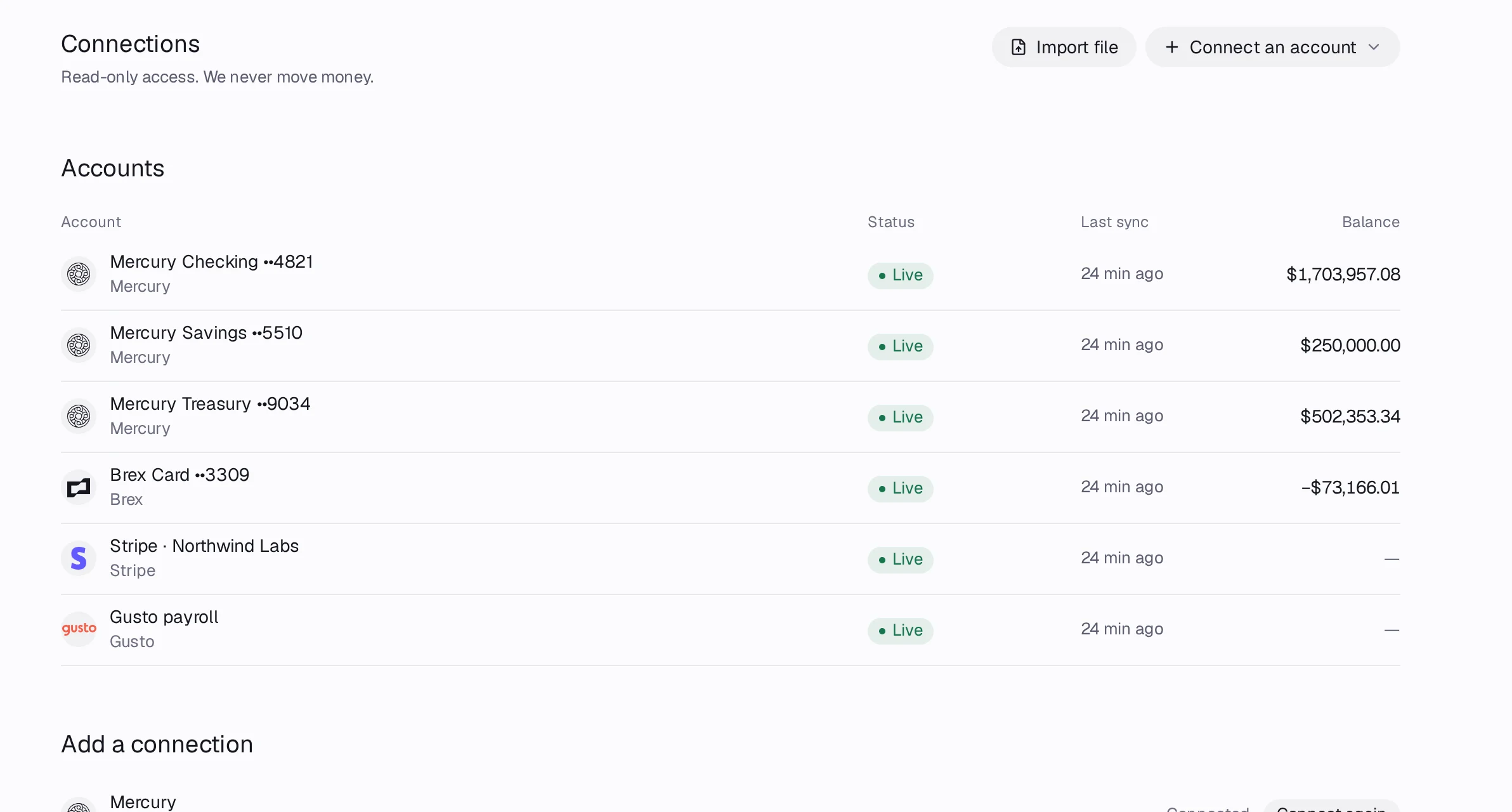
How each source connects
- Mercury: paste a read-only API token.
- Brex: paste a read-only user token.
- Ramp: paste the client ID and secret of an API app you create.
- Stripe: sign in to Stripe and approve read-only access.
- Other banks and cards: pick your bank and sign in, through Stripe, Plaid or Teller when your workspace shows them, or upload statements.
- Deel: paste an organization token. Gusto and Rippling: upload the payroll journal CSV after each payroll.
- Statement files: CSV, OFX, QFX or PDF from any bank or card.
Good to know
- Accountable only reads. It can never move money, pay a bill or change anything in your bank.
- A provider that shows Set up later: keys not added yet isn't switched on for your workspace yet. Upload statements in the meantime.
- Free includes 3 banks linked through Stripe, Plaid or Teller, one per bank however many accounts you hold there, with balances refreshed monthly. Mercury, Brex and Ramp tokens, Stripe payments and statement uploads are unlimited on every plan.
- On Free, links through Stripe, Plaid or Teller pause after 30 days with nobody signed in, so they cost nothing. Sign in and they resume on their own: Connections says Paused while you were away; catching up now, and the missed days fill in without duplicates.
- Linking an account that is already connected another way never adds a second account: Connections asks whether to keep the feed you have or switch to the new one. See An account is connected twice.